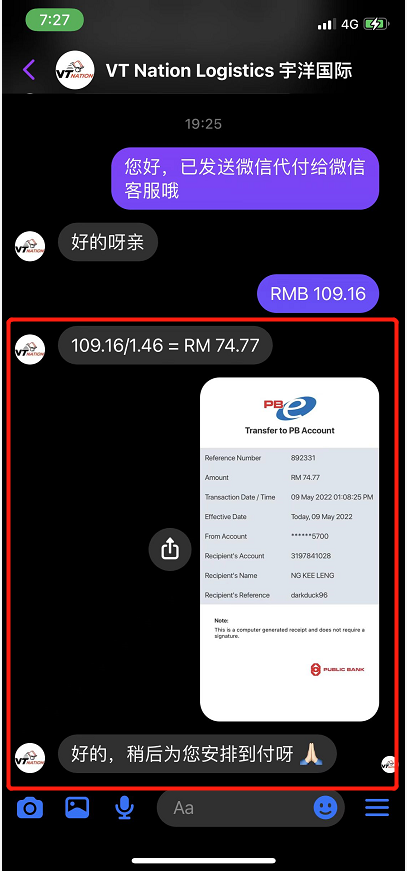
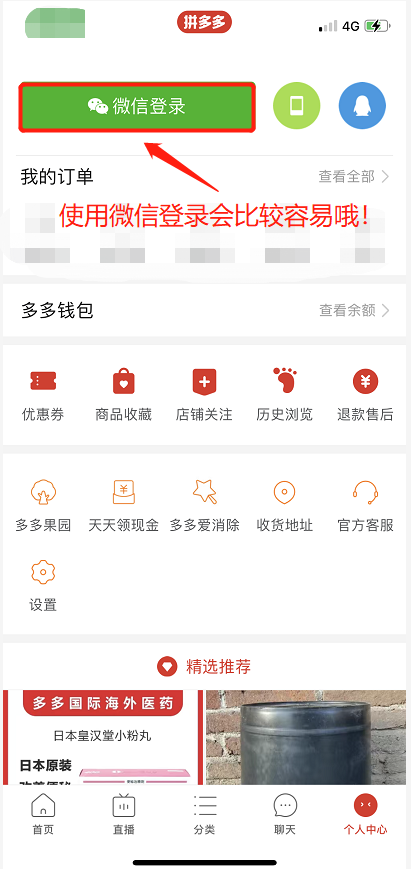
Step 1: Register or Log In to PinDuoDuo
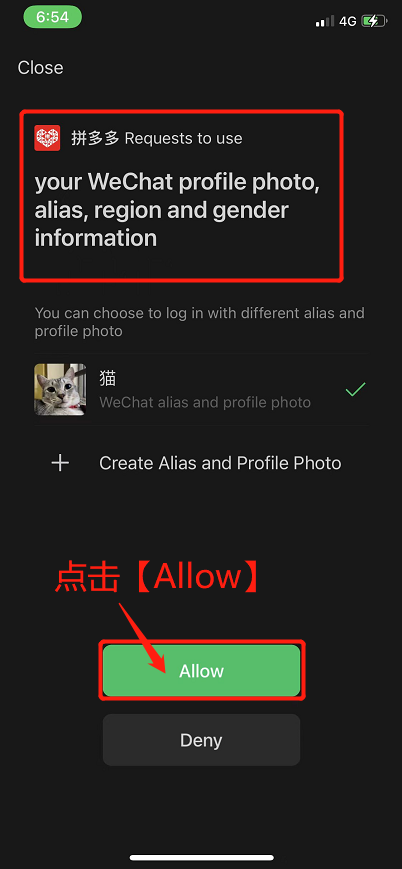
Register or log in to PinDuoDuo first (prefer to use WeChat to log in).
Step 2: Contact VT Nation Facebook
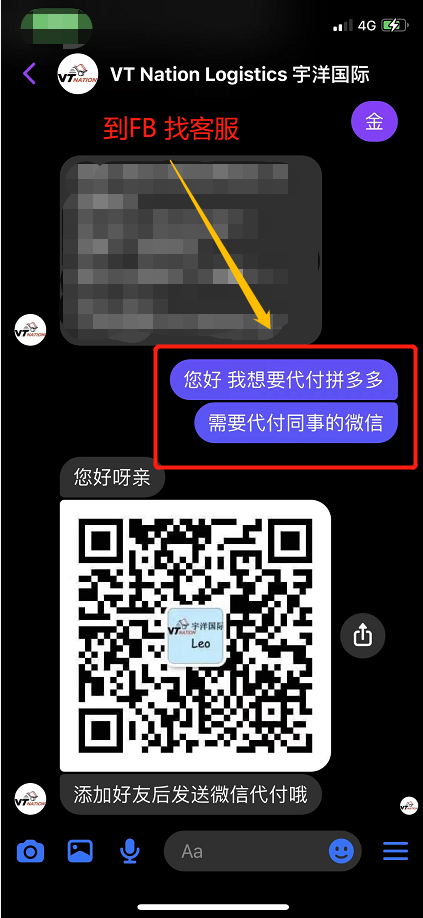
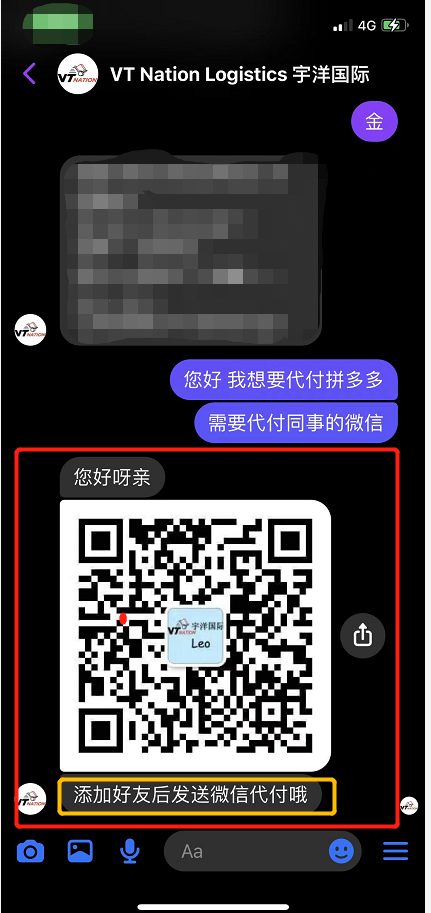
Go to VT Nation’s Facebook to inform customer service that you need to use the Pay for Me service for PinDuoDuo.
Step 3: Get WeChat Account for Pay for Me
Get a WeChat account that is in charge of Pay for Me services.
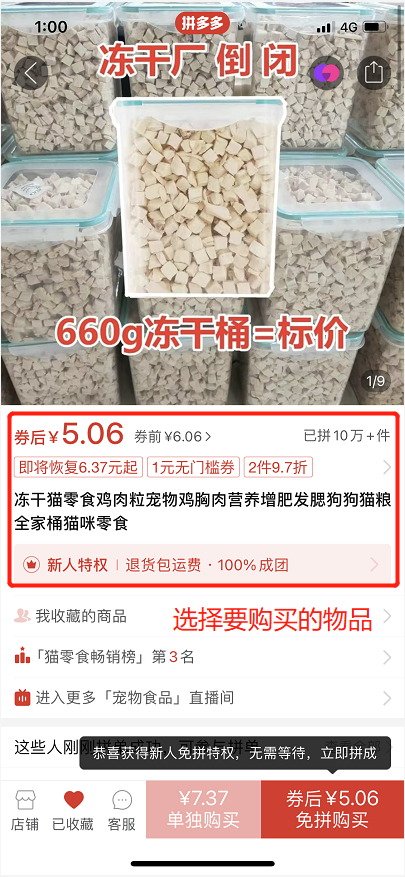
Step 4: Select Your Item on PinDuoDuo
Go to PinDuoDuo to select the item you want to buy.
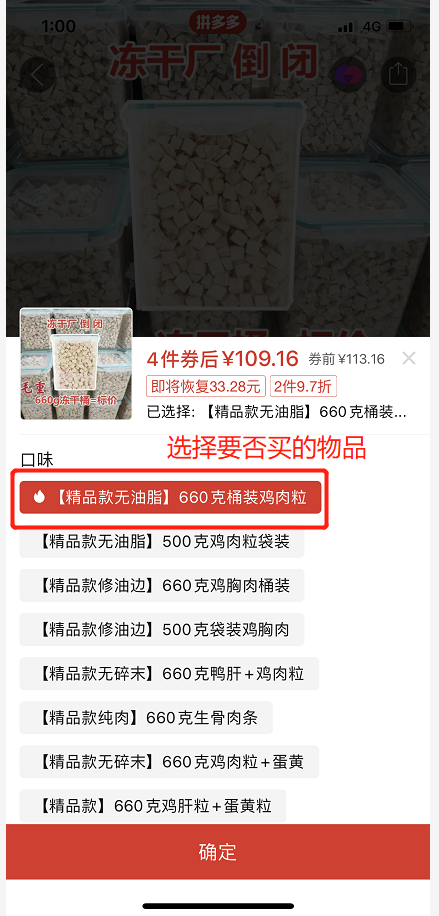
Step 5: Confirm Quantity
Confirm the quantity, click Confirm.
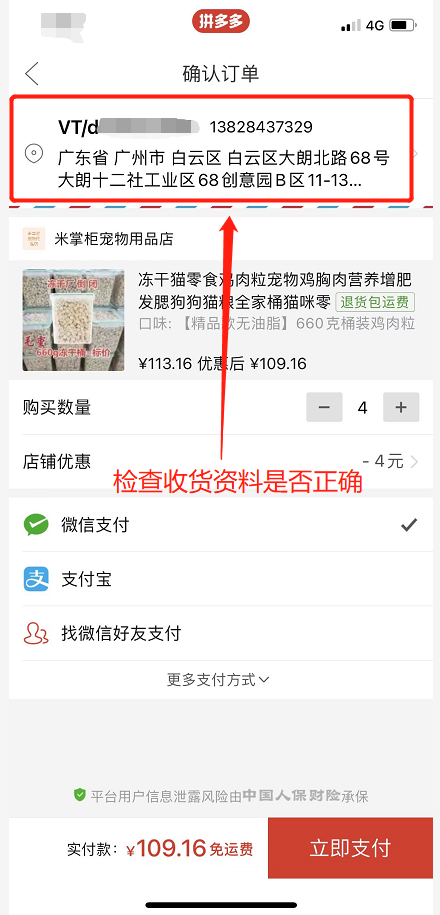
Step 6: Check Delivery Address
Remember to check if the delivery address is our latest warehouse address.
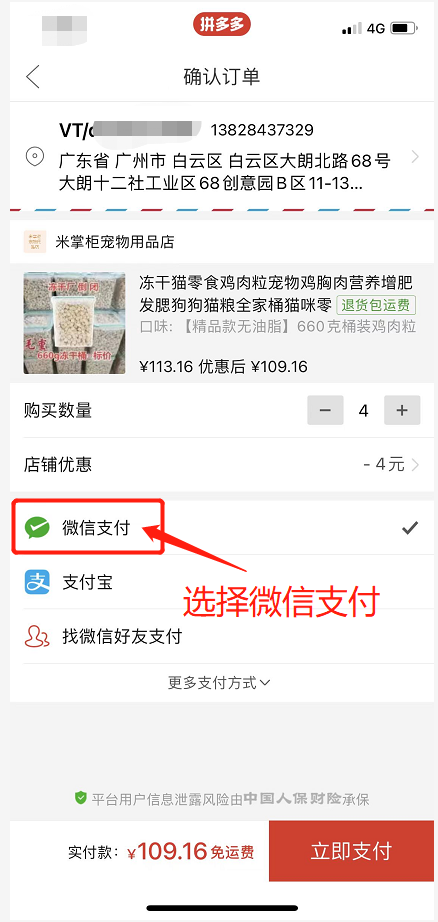
Step 7: Click Pay in WeChat
Click Pay in WeChat.
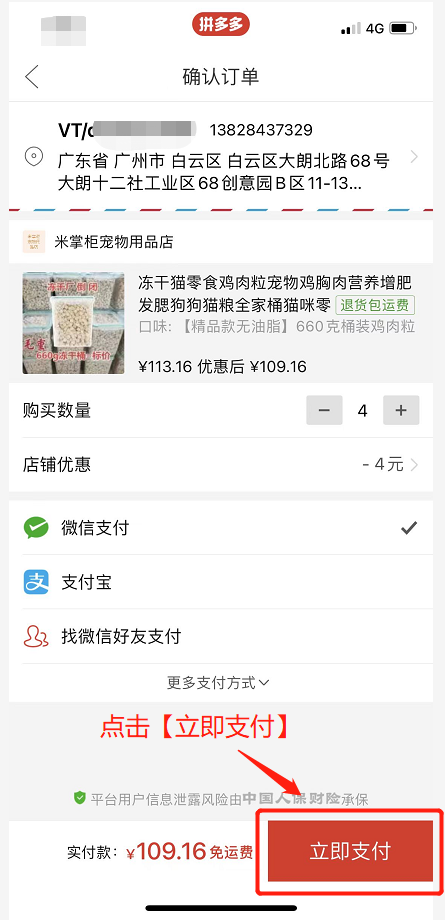
Step 8: Click Pay Now
Click Pay Now.
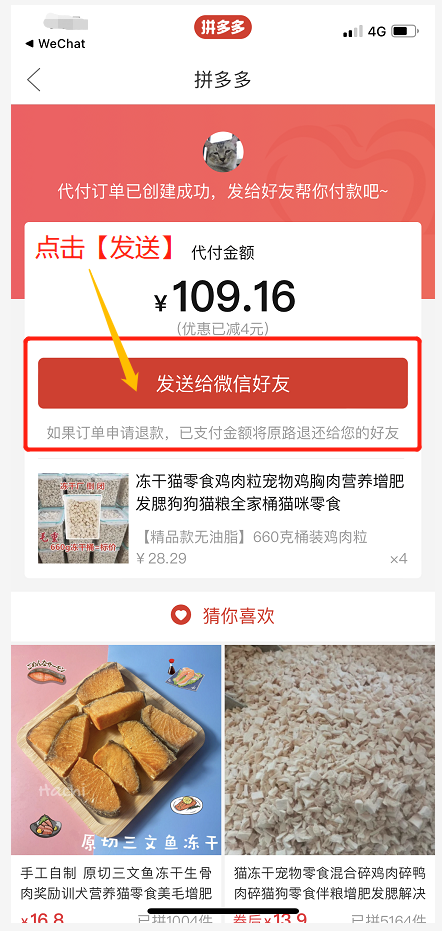
Step 9: Send to WeChat Friends
Click Send to WeChat Friends.
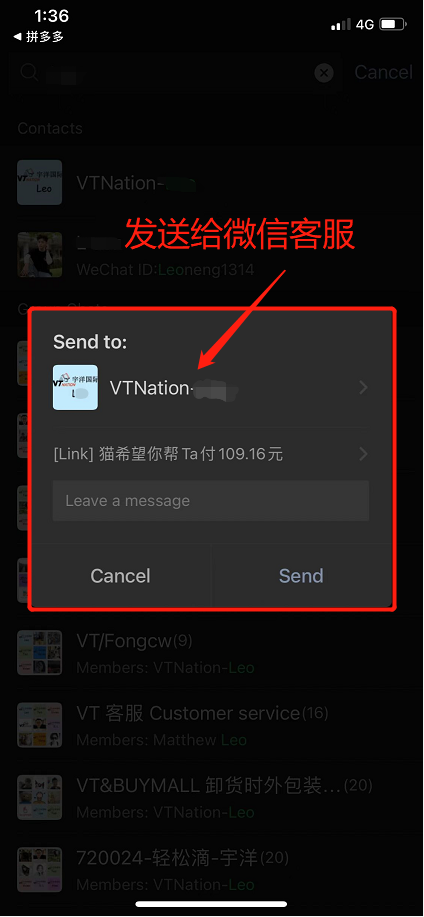
Step 10: Send Payment Application
Send the payment application to the customer service in charge of the payment.
Step 11: Send VT Username
Send your VT username to customer service (e.g., VT/xxxxx).
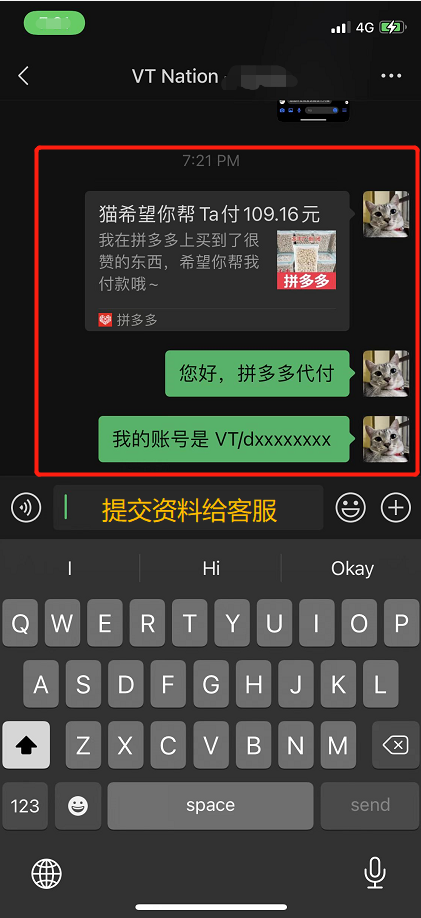
Step 12: Notify VT Nation Facebook
Go back to VT Nation’s Facebook to notify customer service that you already submitted a payment request to the WeChat customer service.
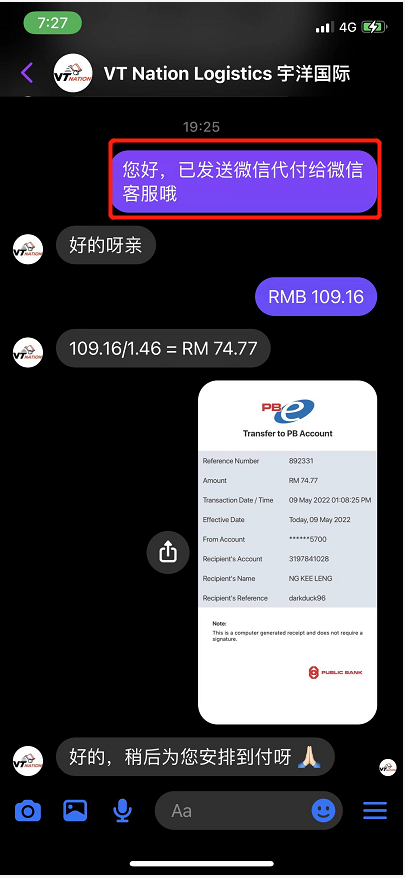
Step 13: Make Payment and Wait
Make payment and be patient while we pay RMB to the seller.