Overview
Are you an international buyer looking to source products from 1688.com but stuck at the payment stage? You’re not alone. One of the biggest challenges for non-Chinese buyers is completing payment on 1688, as the platform primarily accepts Chinese Yuan (RMB) through Alipay or mainland China bank cards.
The good news? VT Nation offers a convenient “Pay for Me” (代付) service that solves this problem. In this guide, we’ll walk you through exactly how to submit a payment request on 1688.com so VT Nation can handle the payment on your behalf.
Why Use a Payment Agent for 1688?
1688.com is China’s largest wholesale marketplace, offering prices 10%–50% lower than Alibaba.com
However, the platform is designed primarily for domestic Chinese buyers. Without a Chinese bank account or verified Alipay account, direct checkout is nearly impossible for foreigners
Payment agents like VT Nation bridge this gap by paying suppliers in RMB on your behalf, while you reimburse them in your local currency.
Steps to apply “Pay for me” in 1688:
Step 1: Log In or Register Your 1688 Account
First, visit 1688.com and log in to your account. If you don’t have one yet, registration is straightforward:
- Click “Register” (注册) in the top right corner
- Select your country code and enter your mobile number for SMS verification
- Complete your profile with your business details
Pro Tip: When setting up your profile, select “Foreign Trade / Cross-Border E-Commerce” (外贸/跨境电商) as your business purpose. Suppliers are more likely to respond to export-related inquiries when they see this

Step 2: Add Items to Your Purchase List
Browse 1688.com and find the products you want to buy. For each item:
- Select your desired variations (size, color, quantity)
- Click “Add to List” (加进货单) to continue shopping, or
- Click “Order Now” (立即订购) to proceed directly to checkout
If you clicked “Add to List”, you can review all selected items later by clicking “Purchase Order” (进货单) on the homepage

Step 3: Go to Your Shipping List and Select Payment
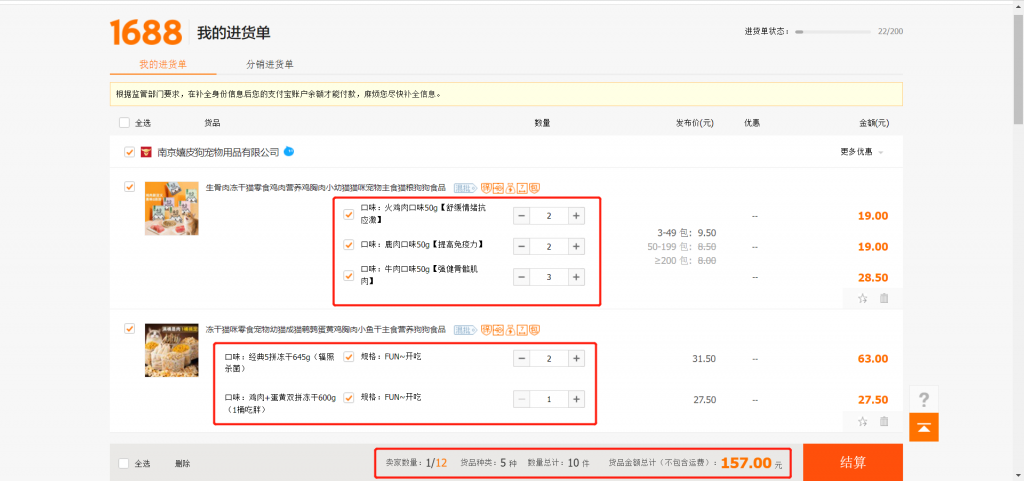
Navigate to your “Shipping List” or “Purchase Order” page. Review your selected items, confirm quantities, and click “Settlement” (结算) or “Submit Order” (提交订单) to enter the payment stage.
Important: The “Pay for Me” function only works for single orders. If you have multiple items from different suppliers, you’ll need to process them separately
Step 4: Record the Amount and Submit Your Order
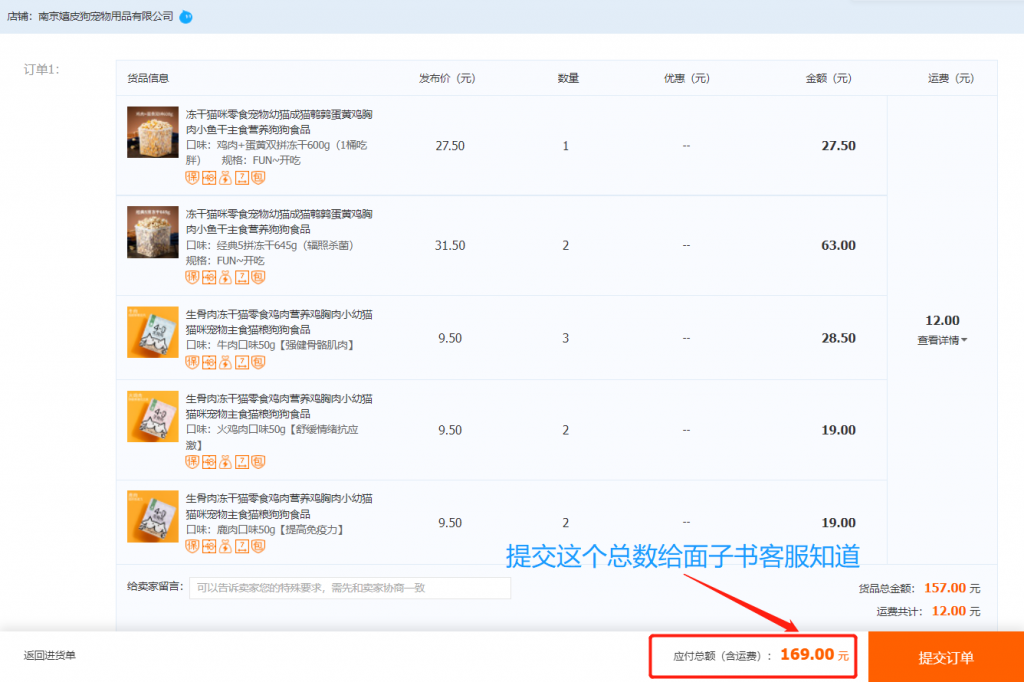
Before proceeding, write down the exact order amount shown on the checkout page. You’ll need this figure when contacting VT Nation for payment.
Click “Submit Order” (提交订单). Don’t worry if the page prompts you to complete payment immediately — we’ll handle that in the next steps.
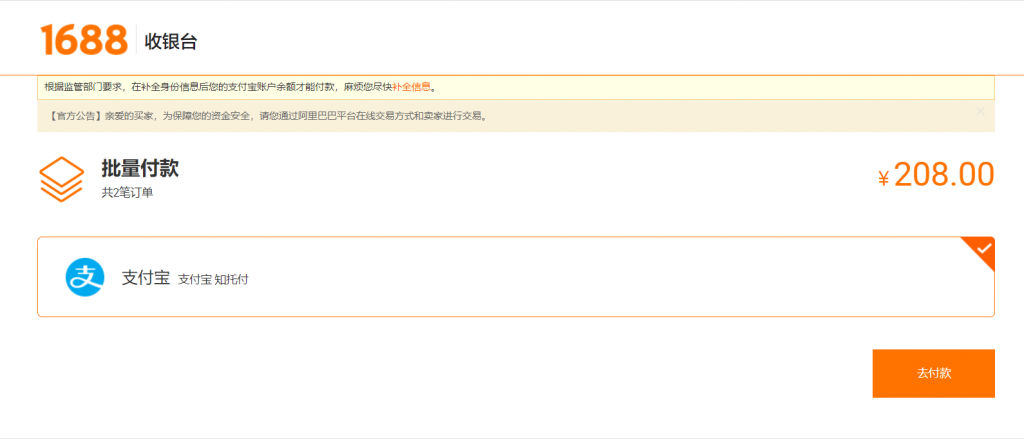
Step 5: Click “Go to Payment”
After submitting your order, you’ll see a confirmation page. Click “Go to Payment” (去付款) to proceed to the Alipay payment interface.
Step 6: Select “Find Someone to Pay for Me”
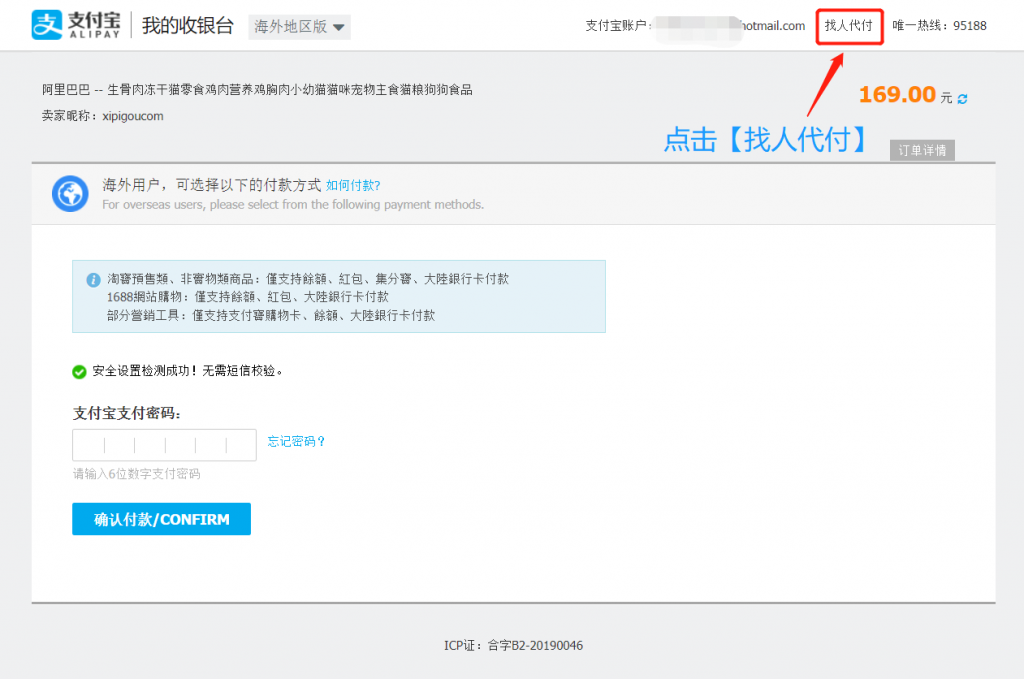
On the Alipay payment page, look to the upper right corner and click:
“Find someone to pay for” (找人代付)
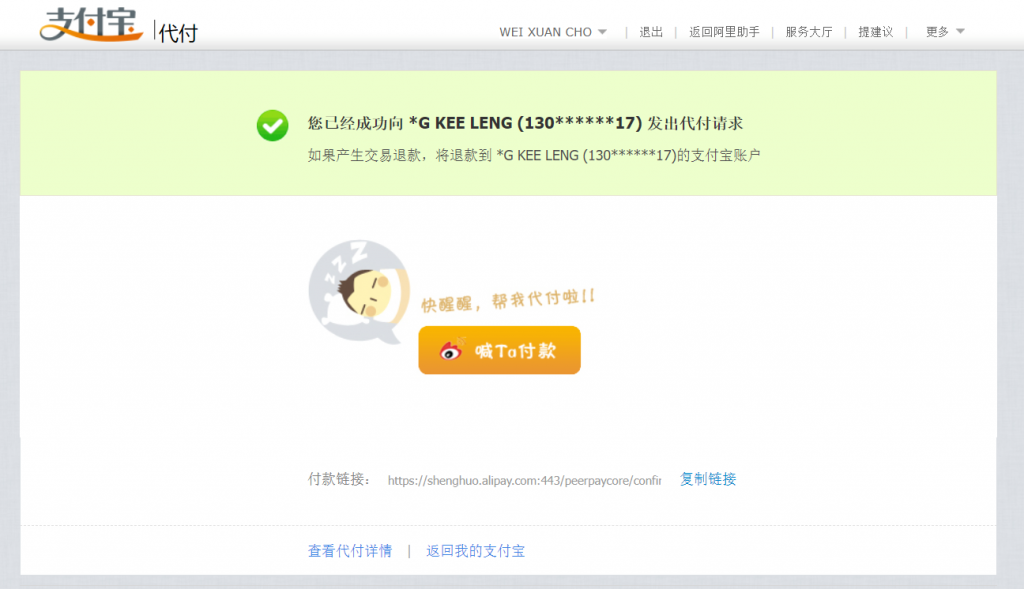
This is the key feature that allows a third party (like VT Nation) to complete the payment on your behalf
Step 7: Enter VT Nation’s Alipay Account
You’ll now see a form asking for the payer’s details:
- Friend Account (好友的账户): Contact VT Nation’s customer service to request their official Alipay account number
- Enter the account details exactly as provided
- Fill in the verification code if required
- Click “Ask Him to Pay” (请他付款) to send the request
Note: Make sure you have the correct Alipay account from VT Nation’s official customer service to avoid payment errors or fraud.

Step 8: Contact VT Nation to Complete Payment
Once you’ve submitted the “Pay for Me” request on 1688:
You’ll receive confirmation once the payment is successful
- Go to Facebook and message VT Nation’s customer service
- Provide them with:
- Your order amount (recorded in Step 4)
- Your order number
- Confirmation that the “Pay for Me” request has been sent
- VT Nation will verify the request and complete the payment in RMB
- You’ll receive confirmation once the payment is successful